Edward H. Nabb Research Center
The Edward H. Nabb Research Center for Delmarva History and Culture at Salisbury University is a humanities research laboratory for university students that also fulfills the historical resource needs of a variety of community researchers. Founded in 1982, it was endowed in 1998 by Edward H. Nabb, an attorney and philanthropist from Cambridge, Maryland and renamed in his honor.
Family and local researchers frequent the Nabb Research Center for its wealth of information on family and cultural history. Distinctive photograph and artifact collections bring the Eastern Shore of the past 150 years to life, offering insight into its traditions and heritage. Public presentations on historical topics, educational seminars and exhibits showcase the Shore’s rich history and culture.
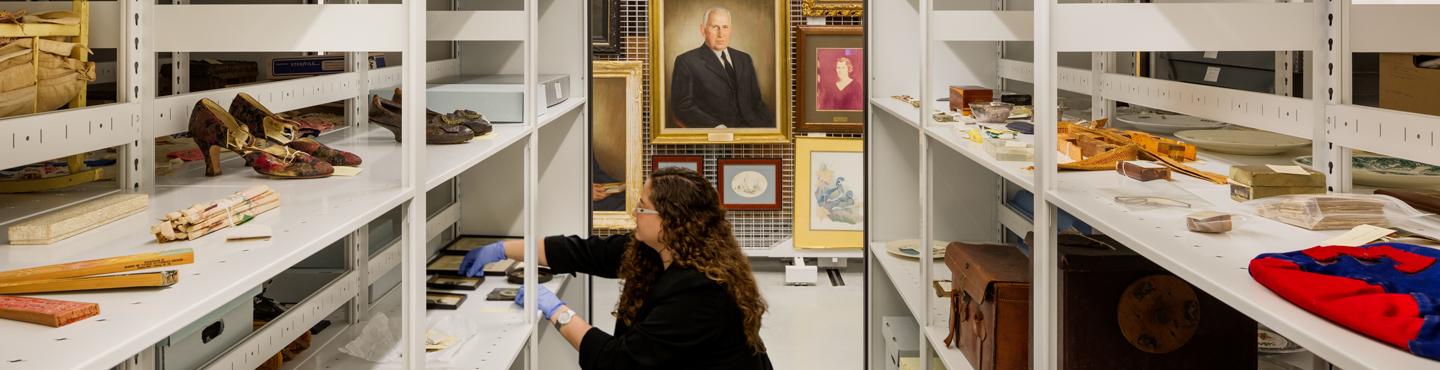
Our non-circulating library contains books, serials, and archival and artifact collections relating to United States history, the greater Chesapeake region and the Delmarva Peninsula. Our extensive primary and secondary regional archival collection contains family histories, correspondence, photographs, manuscripts, ledgers, diaries, local business and organizational records, maps, newspapers, land surveys, oral histories and rare books. Included in our microfilm collection are governmental and church records pertaining mainly to Somerset, Worcester, Dorchester and Wicomico counties in Maryland; Accomack and Northampton counties in Virginia; and Sussex County in Delaware. Archaeological materials, furniture, vintage clothing and coverlets, household items, tools, and military memorabilia comprise a portion of our artifact collection and are used for classroom instruction and exhibits. One of our best resources is the specialized expertise of the Nabb Research Center staff.
The Nabb Research Center is also home to the Salisbury University Archives and Special Collections. The University Archives serves as the collective memory of Salisbury University, from its founding in 1925 to the present. Items in the University Archives have an enduring value to Salisbury University and are intended for permanent retention. The University Archives attempts to document all aspects of campus life, preserving collections related to student activities, academic departments and programs, and administrative offices. Special Collections feature collections documenting national and international history.